> For the complete documentation index, see [llms.txt](https://docs.digibee.com/documentation/llms.txt). Markdown versions of documentation pages are available by appending `.md` to page URLs; this page is available as [Markdown](https://docs.digibee.com/documentation/release-notes/june-2025/june-10.md).
# June 10
## **Release Notes 06/10/2025**
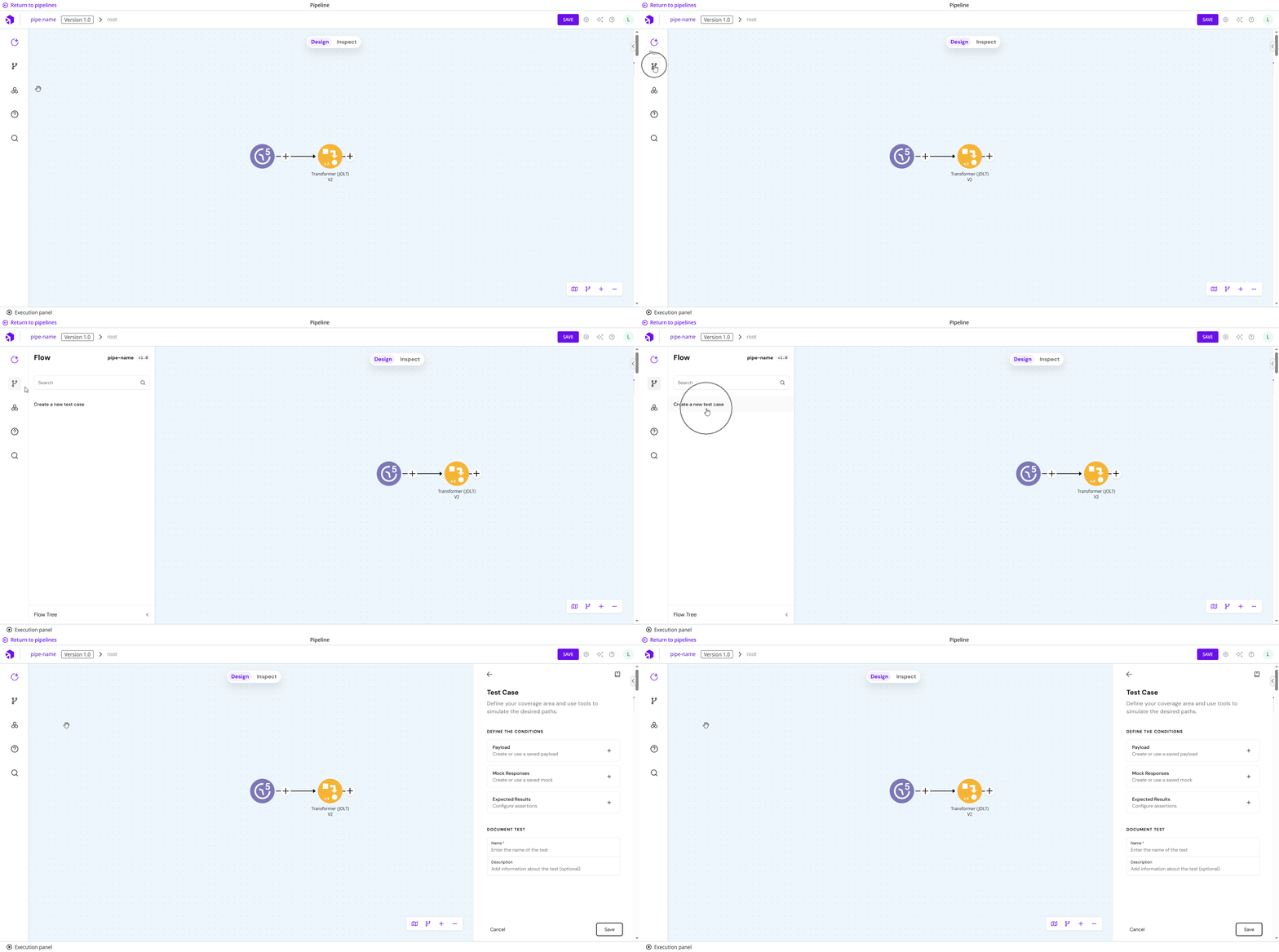
### **Test Cases (General Availability)**
Create, run, and automate tests for pipelines. Increase confidence and speed by validating pipeline behavior before deployment, ensuring workflows run exactly as expected, reducing production risks, and enabling safer and faster iteration across teams.
Read the documentation to learn [how to configure your first Test Case](/documentation/development-cycle/build-overview/canvas/test-cases.md).
### Easier Access to Step Data **(General Availability)**
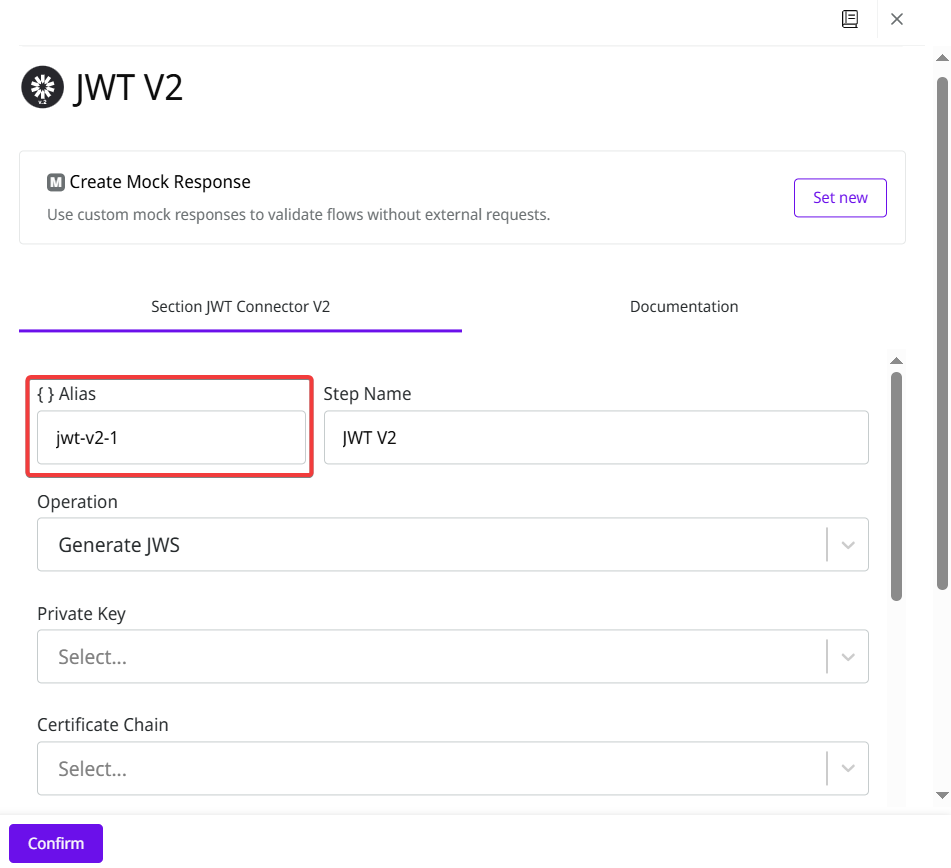
Quickly reference data from previous workflow steps using double braces — no Session Manager needed.
Just use `{{ step.alias. }}` to access payloads directly, and optionally define custom aliases to fit your pipeline.
[Read the documentation to learn more](/documentation/connectors-and-triggers/double-braces/how-to-reference-data-using-double-braces/previous-steps-access.md).
### **Connector Latency for DB V2 connector (General Availability)**
The **Connector Latency** chart now allows you to visualize the latency level of [DB V2 connectors](/documentation/connectors-and-triggers/connectors/structured-data/db-v2.md) within a pipeline. With this update, you can visualize how long each step took during pipeline execution and identify latency issues more easily.
[Read the documentation](/documentation/development-cycle/dashboards/pipeline-metrics/connector-latency.md).
### **Documentation**
To improve our documentation, we have updated the following articles:
* [Platform Hosting](/documentation/licensing/hosting-types/platform-hosting.md)
* [Deploying a pipeline](/documentation/development-cycle/overview/deployment/deployments.md)
* [Pipeline version history](broken://spaces/jvO5S91EQURCEhbZOuuZ/pages/PkMz16oFtXSARL6zUehX)
* [ZIP File V2](/documentation/connectors-and-triggers/connectors/files/zip-file-v2.md)
### **Improvements**
* **Improved searches on the Completed Executions and Pipeline Logs pages:** The Completed Executions page now displays the total number of executions, and the Pipeline Logs page shows the total number of logs, according to the search results.
---
# Agent Instructions
This documentation is published with GitBook. GitBook is the documentation platform designed so that both humans and AI agents can read, navigate, and reason over technical content effectively. Learn more at gitbook.com.
## Querying This Documentation
If you need additional information that is not directly available in this page, you can query the documentation by asking a question.
Perform an HTTP GET request on the following URL with the `ask` and `goal` query parameters:
```
GET https://docs.digibee.com/documentation/release-notes/june-2025/june-10.md?ask=&goal=
```
`ask` is the immediate question: it should be specific, self-contained, and written in natural language.
`goal` is what the user is ultimately trying to achieve, the reason they need the answer. Sharing it helps GitBook give you a better, more relevant answer. A goal is most helpful when it describes the outcome the user wants rather than restating the question. For example, with `ask=how do I create an API token`, a goal like `automate deployments from our CI pipeline` lets GitBook tailor the answer to that use case.
The response will contain a direct answer to the question and relevant excerpts and sources from the documentation.
Use this mechanism when the answer is not explicitly present in the current page, you need clarification or additional context, or you want to retrieve related documentation sections.