> For the complete documentation index, see [llms.txt](https://docs.digibee.com/documentation/llms.txt). Markdown versions of documentation pages are available by appending `.md` to page URLs; this page is available as [Markdown](https://docs.digibee.com/documentation/release-notes/january-2025/january-7.md).
# January 7
## Release notes 01/07/2025
### Connectors
* **Azure Key account support:** It’s now possible to authenticate to SQL Server databases with the [Azure Key](/documentation/development-cycle/build-overview/accounts.md#accounts-type) account type in the [DB V2](/documentation/connectors-and-triggers/connectors/structured-data/db-v2.md) and [Stream DB V3](/documentation/connectors-and-triggers/connectors/structured-data/stream-db-v3.md) connectors. In addition, dynamic authentication with the Azure Key account type is supported via the [Store Account](/documentation/connectors-and-triggers/connectors/tools/store-account.md) connector.
* **New Wrap Key and Unwrap Key operations in the RSA Cryptography connector:** You can now encrypt and decrypt AES session keys with an added layer of integrity validation using the newly introduced Wrap Key and Unwrap Key operations in the [RSA Cryptography](/documentation/connectors-and-triggers/connectors/security/rsa-cryptography.md) connector.
### Execute Selected Steps (General Availability)
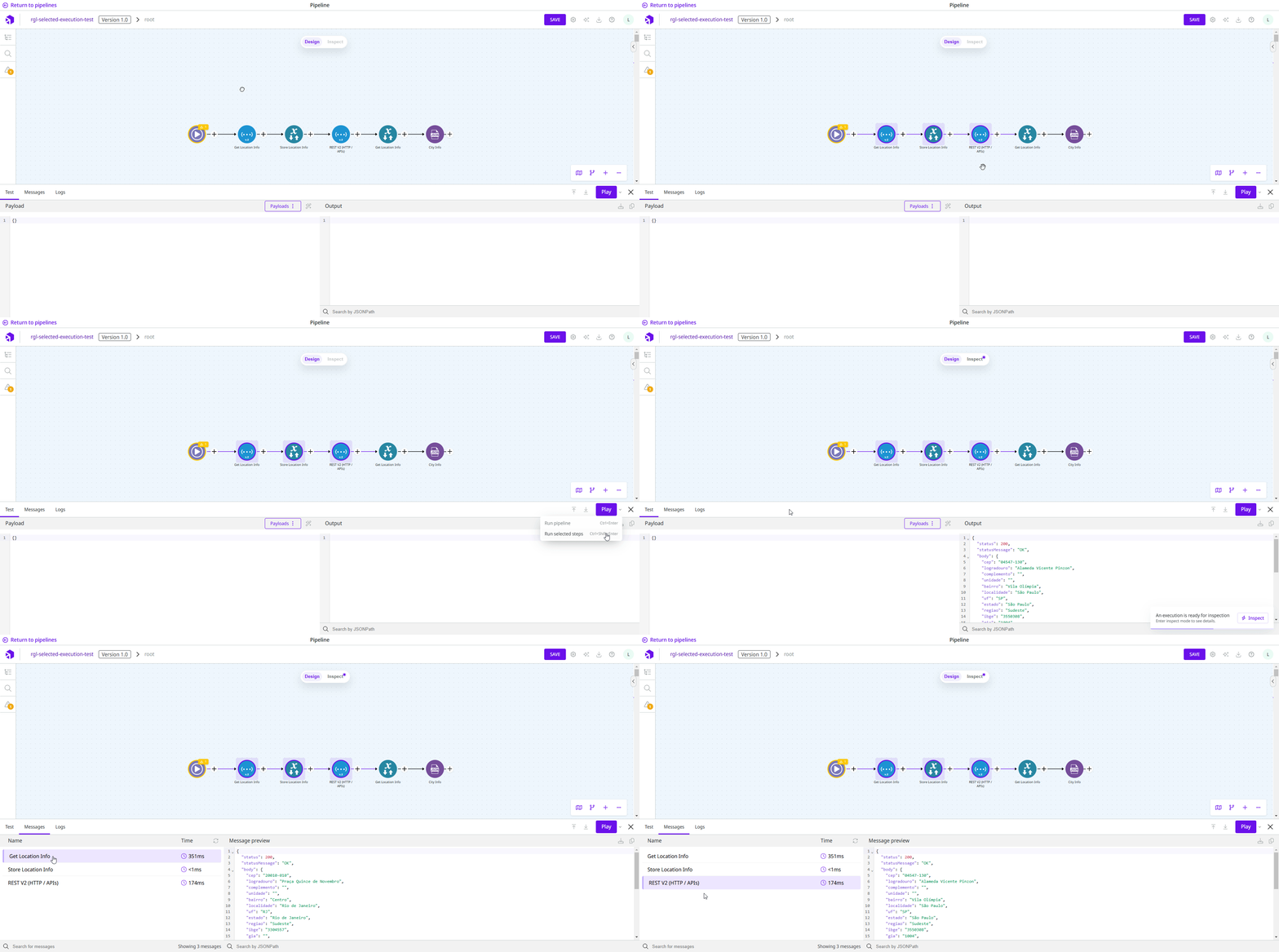
**Execute Selected Steps** is a new feature that allows you to test not only the entire flow, but also specific segments of a pipeline or capsule flow. By selecting which steps to run, you can focus on validating smaller parts of your integrations without having to change the flow logic or disconnect other connectors.
This feature streamlines the testing process, making it more efficient and practical for troubleshooting or verifying isolated parts of the flow.
For more information, see the [Execution panel](/documentation/development-cycle/build-overview/canvas/execution-panel.md) documentation.
### Improved execution inspection: Debug Mode renaming and feature upgrades (General Availability)
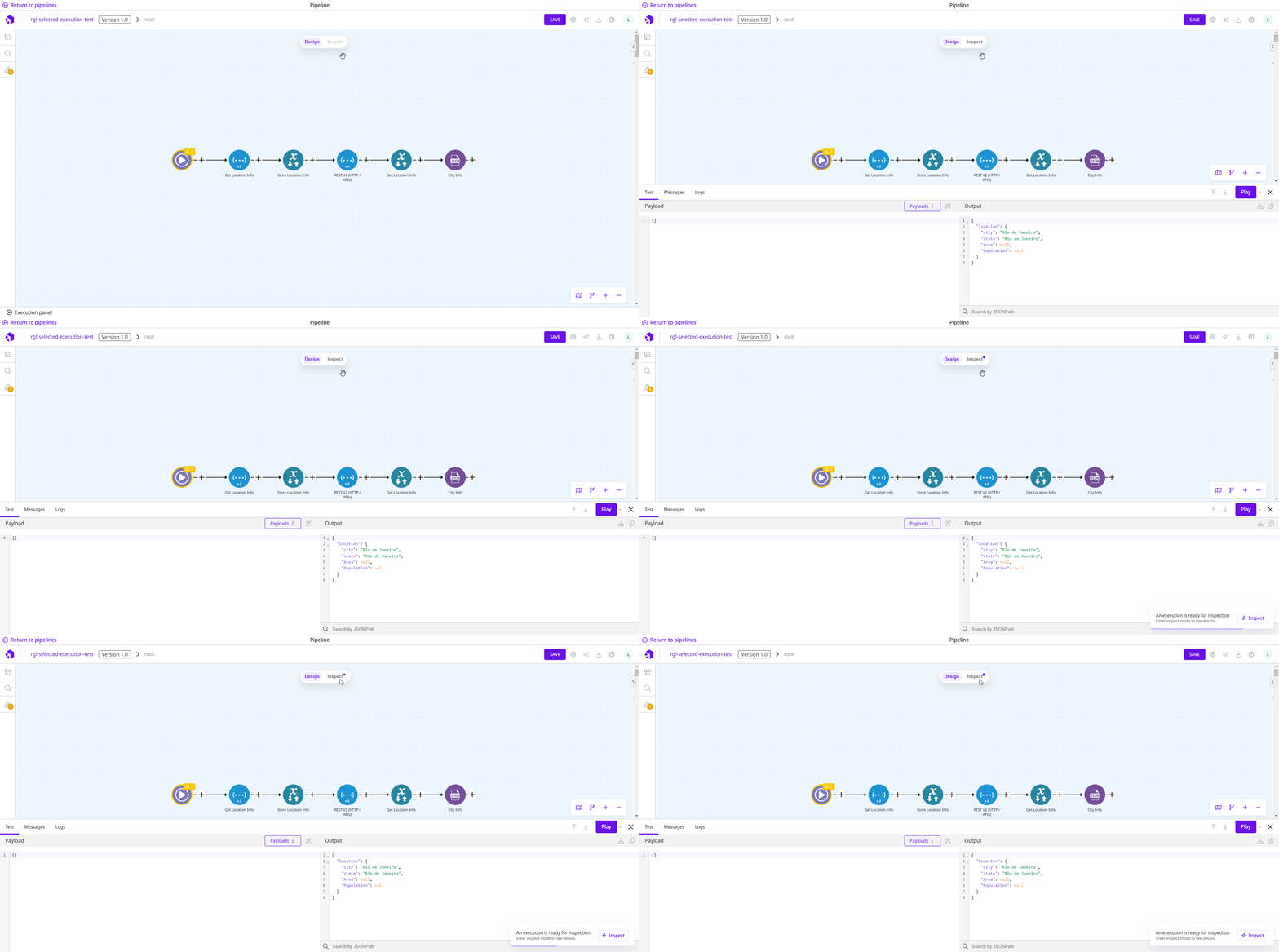
The Inspect Mode is an improved version of the previous Debug Mode, which is being redesigned to provide you with a more intuitive experience when running your flows.
Key changes in this release include:
* The name has been changed from **Debug** to **Inspect**.
* The Inspect Mode is now only available when the execution generates messages.
* Visual cues are displayed on the Canvas to alert you that an execution is ready for inspection.
Learn more in the [Design and Inspect Mode](/documentation/development-cycle/build-overview/canvas/design-and-inspect-mode.md) documentation.
### AI Assistant – Flow Generation, JOLT Generation, and Docs Q\&A (General Availability)
The [AI Assistant](/documentation/development-cycle/build-overview/canvas/ai-assistant.md) and all its AI-powered features – Flow Generation, JOLT Generation, and Docs Q\&A – have been promoted to **General Availability**. These features are designed to speed up the development process, clarify questions without leaving the Platform, and shorten the learning curve.
In addition, it’s now possible to rate the answer with the “Like" and “Dislike" buttons, which helps to evaluate and train the AI model to get more accurate answers.
Learn more in the [AI Assistant](/documentation/development-cycle/build-overview/canvas/ai-assistant.md) documentation.
### Improvements on the Alerts configuration page (General Availability)
We improved the navigation and user experience on the Alerts configuration page in Monitor. Here are the new features:
* **Multi-pipeline alerts** help you select all the pipelines in one realm at once or select a list of pipelines to create specific multi-pipeline alerts.
* **More detailed information** about your pipelines at the Alerts configuration table.
* **New alert metrics**.
Read more in our updated [Alerts documentation page](/documentation/development-cycle/dashboards/alerts.md) on the Documentation Portal.
### Access by environment on the Monitor page (General Availability)
The permissions below have been enhanced with an environment variable, providing control over user access to test and production environments across all tabs in the Monitor section:
* `MESSAGE:READ`
* `LOG:READ`
* `ALERT:READ`
* `METRIC:READ`
* `STATS:READ`
Administrators can now specify if users with these permissions can only view metrics in the test environment, production environment, or both.
Check out the [Roles](/documentation/platform-administration/administration/new-access-control/access-control-roles.md) and [List of permissions by service](/documentation/platform-administration/administration/new-access-control/access-control-roles.md) documentation. You can also access the step-by-step guide to learn [how to set environment permissions for a group](/documentation/platform-administration/administration/new-access-control/access-control-groups.md).
### New commands on Digibeectl (General Availability)
We’ve included new commands on Digibeectl:
* **get-license:** Shows license information by pipeline and projects. It helps you optimize costs and usage of the licenses, and also provide reports for different areas of your company.
* **set-deployment--restore:** Creates a new deployment using the ID of a previously deployed version. It must be used together with the --history-id flag.
To see the details about the commands on Digibeectl, check out the [documentation](/documentation/platform-administration/administration/digibeectl/digibeectl-operations.md).
### Introducing 5 new Use Cases to enhance your integrations
* **Securing sensitive information in pipelines:** Learn security best practices such as encryption, hashing, sensitive fields obfuscation, and credential management through Accounts configuration.
* **OAuth2 for secure API access:** Learn how to implement token-based authentication and role-based access in Digibee pipelines, enhancing security and operational scalability.
* **Secure your APIs with JWT:** Learn how to securely implement JWT for authentication in Digibee. Discover best practices, avoid common pitfalls, and use JWT connectors for seamless integration.
* **Integration best practices for developers on the Digibee Integration Platform**: Learn to optimize debugging, ensure data consistency, and validate external service interactions to enhance your integration flows.
* **How to use Event-driven architecture on the Digibee Integration Platform:** Learn how to implement Event-Driven Architecture on the Digibee by transferring records between publisher and subscriber pipelines.
You can explore this and more in the [Use Cases in Action](/documentation/resources/use-cases/how-to-jolt.md) section anytime through the Documentation Portal.
### Documentation
#### Troubleshooting articles
We’ve updated our troubleshooting documentation with new articles:
* **Governance and connections**
* [How to manage IPs on the Digibee Integration Platform](/documentation/troubleshooting/connectivity-guides/connection-refused-error.md)
* [How to connect Digibee to SAP](/documentation/troubleshooting/connectivity-guides/digibee-sap.md)
* [How to connect Digibee to Oracle RAC](/documentation/troubleshooting/connectivity-guides/digibee-oracle-rac.md)
* **Integration guidance**
* [How to perform IP address mapping with Progress database](/documentation/troubleshooting/connectivity-guides/ip-progressdb.md)
* [How to resolve the "Pipeline execution was aborted" error](/documentation/troubleshooting/deployment-issues/pipeline-execution-was-aborted-error.md)
* [How to resolve the "Failed to initialize pool: ONS configuration failed" error](/documentation/troubleshooting/integration-issues/failed-to-initialize-pool.md)
* [Avoiding loops and maximizing pipeline efficiency](/documentation/resources/best-practices/avoiding-loops-and-maximizing-pipeline-efficiency.md)
* **Access and performance**
* [How to analyze the "Network error: Failed to fetch" in the Execution panel](/documentation/troubleshooting/integration-issues/failed-to-fetch-error.md)
* **Connectors' behavior and configuration**
* [Understanding @@DGB\_TRUNCATED@@ on the Digibee Integration Platform](/documentation/troubleshooting/integration-issues/dgb-truncated.md)
#### Governance
We have updated our governance documentation with two new articles:
* [Naming: Global, Accounts and API Keys](/documentation/resources/best-practices/naming-global-accounts-and-api-keys.md)
* [Roles and responsibilities: Governance and key stakeholder identification](/documentation/platform-administration/administration/new-access-control/access-control-roles/key-stakeholder-identification.md)
### Bugs
* **Custom error not saved in Throw Error:** We fixed a bug where the custom error property was not saved in the Throw Error connector.
* **Capsule configuration form freezing:** We fixed a bug that caused the capsule configuration form to freeze, preventing user interactions.
* **Parameters not applied during capsule testing:** We fixed a bug where the Parameters column in the Execution panel was not applied when testing capsules.
---
# Agent Instructions
This documentation is published with GitBook. GitBook is the documentation platform designed so that both humans and AI agents can read, navigate, and reason over technical content effectively. Learn more at gitbook.com.
## Querying This Documentation
If you need additional information that is not directly available in this page, you can query the documentation by asking a question.
Perform an HTTP GET request on the following URL with the `ask` and `goal` query parameters:
```
GET https://docs.digibee.com/documentation/release-notes/january-2025/january-7.md?ask=&goal=
```
`ask` is the immediate question: it should be specific, self-contained, and written in natural language.
`goal` is what the user is ultimately trying to achieve, the reason they need the answer. Sharing it helps GitBook give you a better, more relevant answer. A goal is most helpful when it describes the outcome the user wants rather than restating the question. For example, with `ask=how do I create an API token`, a goal like `automate deployments from our CI pipeline` lets GitBook tailor the answer to that use case.
The response will contain a direct answer to the question and relevant excerpts and sources from the documentation.
Use this mechanism when the answer is not explicitly present in the current page, you need clarification or additional context, or you want to retrieve related documentation sections.
.gif)