> For the complete documentation index, see [llms.txt](https://docs.digibee.com/documentation/llms.txt). Markdown versions of documentation pages are available by appending `.md` to page URLs; this page is available as [Markdown](https://docs.digibee.com/documentation/developer-guide/pt-br/development-cycle/overview/runtime.md).
# Conceitos de Run
Aprenda os conceitos de Run na Digibee Integration Platform
## **Implantação**
Implantação refere-se ao processo de ativação de pipelines que já foram configurados com um trigger. Essa ativação pode acontecer em teste ou produção. Se você quiser saber mais sobre como implantar um pipeline, leia a [documentação](/documentation/developer-guide/pt-br/development-cycle/overview/deployment/deployments.md).
A implantação está relacionada a três conceitos:
### Tamanho do pipeline
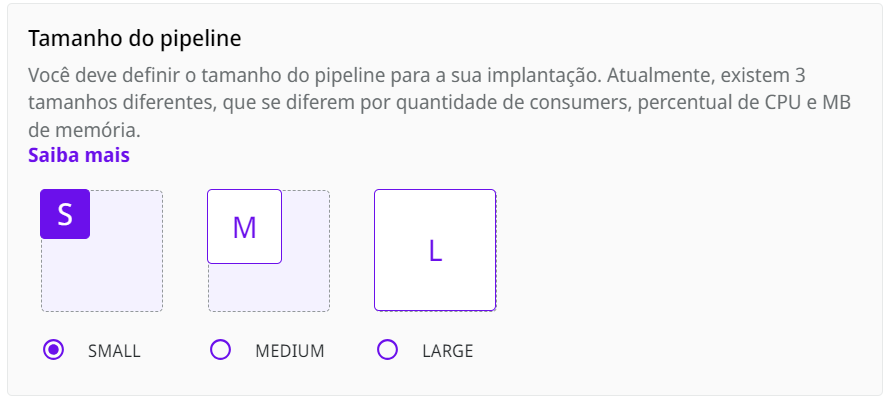
O tamanho da implantação do pipeline depende da capacidade de processamento e da memória de cada réplica. Há três tamanhos para implantações:
Imagem da tela para definição do tamanho do pipeline
* SMALL, 1 a 10 consumers, 20% de 1 CPU, 64 MB de memória
* MEDIUM, 1 a 20 consumers, 40% de 1 CPU, 128 MB de memória
* LARGE, 1 a 40 consumers, 80% de 1 CPU, 256 MB de memória
Por exemplo, se você configurar um pipeline com tamanho de implantação SMALL para suas execuções de pipeline, isso significa que até 10 mensagens podem ser processadas simultaneamente.
### Execuções simultâneas
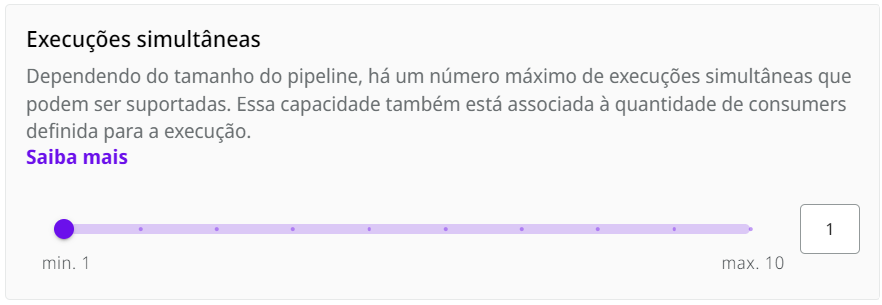
Execuções simultâneas representam o número de execuções que cada réplica implantada pode executar ao mesmo tempo. O número máximo de execuções simultâneas depende do tamanho da implantação configurado.
Imagem da tela para definição do número de execuções simultâneas
Saiba mais sobre esses conceitos na [documentação](/documentation/developer-guide/pt-br/development-cycle/overview/runtime/pipeline-engine.md) do Pipeline Engine.
### Réplicas
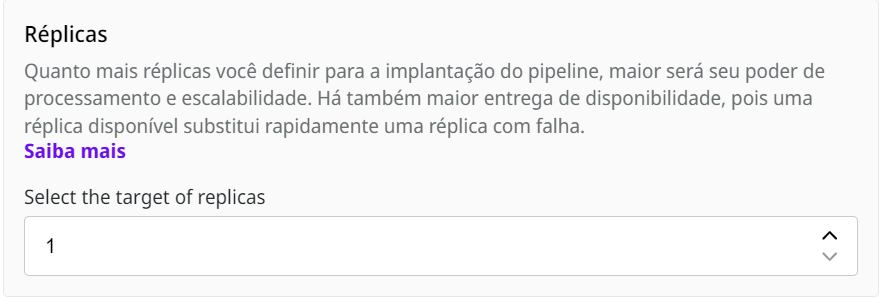
A escolha do número adequado de réplicas dará suporte às suas integrações com alta disponibilidade, garantindo sua autonomia e a eficiência de suas execuções simultâneas.
Imagem da tela para definir o número de réplicas
---
# Agent Instructions
This documentation is published with GitBook. GitBook is the documentation platform designed so that both humans and AI agents can read, navigate, and reason over technical content effectively. Learn more at gitbook.com.
## Querying This Documentation
If you need additional information that is not directly available in this page, you can query the documentation by asking a question.
Perform an HTTP GET request on the following URL with the `ask` and `goal` query parameters:
```
GET https://docs.digibee.com/documentation/developer-guide/pt-br/development-cycle/overview/runtime.md?ask=&goal=
```
`ask` is the immediate question: it should be specific, self-contained, and written in natural language.
`goal` is what the user is ultimately trying to achieve, the reason they need the answer. Sharing it helps GitBook give you a better, more relevant answer. A goal is most helpful when it describes the outcome the user wants rather than restating the question. For example, with `ask=how do I create an API token`, a goal like `automate deployments from our CI pipeline` lets GitBook tailor the answer to that use case.
The response will contain a direct answer to the question and relevant excerpts and sources from the documentation.
Use this mechanism when the answer is not explicitly present in the current page, you need clarification or additional context, or you want to retrieve related documentation sections.