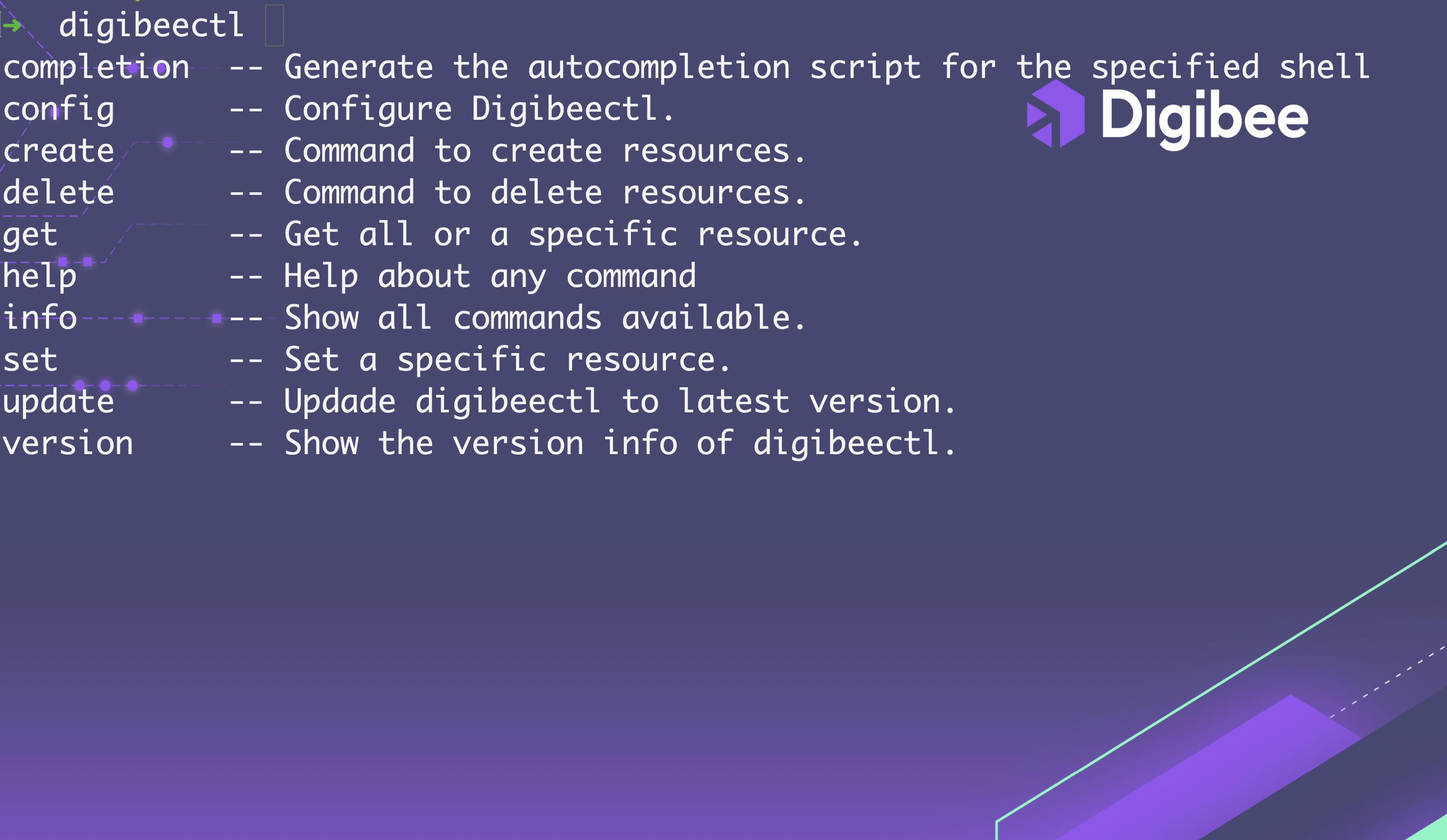
| Operation | Syntax | Description |
|---|---|---|
| completion | digibeectl completion SUB-COMMAND [flags] | Generate the autocompletion script for digibeectl for the specified shell. |
| config | digibeectl config [flags] | Configure digibeectl. |
| create | digibeectl create RESOURCE [flags] | Command to create resources |
| delete | digibeectl delete RESOURCE [flags] | Command to delete resources |
| get | digibeectl get RESOURCE [flags] | Get all resources or a specific resource. |
| help | digibeectl get SUB-COMMAND or RESOURCE [flags] | Help about any command. |
| info | digibeectl info [flags] | Show all commands available. |
| set | digibeectl create RESOURCE [flags] | Set a specific resource. |
| update | digibeectl update [flags] | Update digibeectl to the latest version. |
| version | digibeectl version [flags] | Show the version info of digibeectl. |
| Operations | Resources | Description |
|---|---|---|
| create, delete, get | api-mgmt-credentials | Create/ delete / get API credentials for Pipeline Metrics API. |
| create, delete, get | deployment | Create/ delete deployments/ Retrieve details of a specific deployment. |
| get | api-mgmt-url | Get API URL for Pipeline Metrics API. |
| get | deployment-history | Get all deployment history. |
| get | license | Display the realm's license information. By using flags, you can view the license details filtered by pipeline or project. |
| get | metrics | Get metrics from a valid pipeline. |
| get | pipeline | Read content from the pipeline. |
| get | project | Read available projects. |
| get | realm | Get realm resource. |
| create | pipeline | Creates a new pipeline. |
| create | project | Creates a new project. |
| set | deployment | Manage deployment operations. |
| Operation | Resource | Flags | Shorthand | Description | Permission |
|---|---|---|---|---|---|
| get | deployment | List deployments. | DEPLOYMENT:READ | ||
| --deployment-id | -d | Filter deployment by ID. | |||
| --environment | -e | Filter deployments by environment (default "test"). | |||
| --name | -n | Filter deployments by name. | |||
| --projectName | -p | Filter deployments by project name. | |||
| --status | -s | Filter deployments by status. | |||
| --allspecs | -a | Show all pipeline specs (FlowSpec, TriggerSpec, InSpec, OutSpec). | |||
| --flowspec | -f | Show pipeline Flow specs. | |||
| --output | -o | Display the resources in JSON format. | |||
| get | deployment-history | List deployments history. | |||
| --name string | -n | Filter deployments history by pipeline name. | |||
| --majorversion | -m | Filter deployments history by major version. | |||
| --page | -p | Show the number of items to return. Default is 1. | |||
| --output | -o | Display the resources in JSON format. | |||
| --size | -s | Show the number of pages to filter. Default is 20. | |||
| --help | -h | Get help with deployment history. | |||
| create | deployment | Create a deployment. | DEPLOYMENT:CREATE, DEPLOYMENT:CREATE:REDEPLOY, CONFIGURATION:READ, CONFIGURATION:UPDATE | ||
| --pipeline-id | (mandatory flag) | The pipeline ID. | |||
| --pipeline-size | -s | The pipeline size (SMALL/MEDIUM/LARGE). Default: SMALL | |||
| --consumers | -c | The maximum number of consumers on the pipeline to be deployed (Default: SMALL=10 / MEDIUM=20 / LARGE=40). | |||
| --environment | -e | The pipeline environment for deployment. Default: test. | |||
| --instance-name | -i | The pipeline instance name required when the pipeline has multiple instances. | |||
| --redeploy | Enable the pipeline redeployment. | ||||
| --replicas | The pipeline number of replicas. Default: 1 | ||||
| --wait | If active, waits for the deployment to be completed. Timeout: 300 seconds. | ||||
| delete | deployment | Remove a deployment. | DEPLOYMENT:DELETE | ||
| --deployment-id | -d | The ID of the deployment to be deleted. | |||
| --environment | -e | The environment of the deployment to be deleted. | |||
| --help | -h | List of help commands for implementation. | |||
| set | deployment | Manage deployment operations. | |||
--rollback --id | Perform rollback to restore the previous version of the pipeline that was deployed. | ||||
--restore --history-id | Create a new deployment using the ID of a previously deployed version. |
| Operation | Resource | Flags | Shorthand | Description | Permissions |
|---|---|---|---|---|---|
| get | license | --by-project --by-pipeline | Display the realm's license information. By using flags, you can view the license details filtered by pipeline or project. |
| Operation | Resource | Flags | Shorthand | Description | Permissions |
|---|---|---|---|---|---|
| get | metrics | --pipeline-name --pipeline-version --from --to --relative-date | Get metrics from a valid pipeline. Use the --from and --to flag to filter metrics for a specific date or interval. The --from flag can be used without the --to flag, but the --to flag cannot be used on its own. The --relative-date flag is another option that allows you to filter metrics within relative time intervals. You can use values such as: last 5 minutes, last 3 days, last 7 days or specify a date range. |
| Operation | Resource | Flags | Shorthand | Description | Permissions |
|---|---|---|---|---|---|
| get | users | Show users | |||
--archived | -a | Show archived users | |||
| --help | -h | Show help for users | |||
| --output | -o | Return data in JSON format instead of formatted data. | |||
| --page int | -p | Page number (default 1) | |||
| --search string | -s | Search users | |||
| --size int | Items per page (default: 10) | ||||
| get | user-permissions | Show the user permissions | |||
--archived | -a | Show archived users | |||
| --email string | -e | Show user email | |||
| --help | -h | Help for user permissions | |||
| --list | -l | Display information as a list | |||
| --output | -o | Return data in JSON format instead of formatted data. |
| Operation | Resource | Flags | Shorthand | Description | Permissions |
|---|---|---|---|---|---|
| get | pipeline | List pipelines. | PIPELINE:READ | ||
| --allspecs | Show all pipeline specs (FlowSpec, TriggerSpec, InSpec, OutSpec). Required:pipeline-id | ||||
| --flowspec | -o | Show pipeline FlowSpec. Required: --pipeline-id | |||
| --archived | -a | Show only archived pipelines. | |||
| --help | -h | Get help for the pipeline. | |||
| --name string | -n | Filter pipelines by name. | |||
| --page int | Page results (default 1). | ||||
| --pipeline-id string | Filter pipelines by ID. | ||||
| --pipeline-version-major string | Filter pipelines bymajor version. | ||||
| --pipeline-version-minor string | Filter pipelines by minor version. | ||||
| --project-id string | Filter pipelines by project id. | ||||
| --show-versions | Show pipelines with versions. | ||||
| --output | -o | Display the resources in JSON format. | |||
| create | pipeline | --name string --description (mandatory flags) --project string --help | -n -d -p -h | Creates a new pipeline. |
| Operation | Resource | Flags | Shorthand | Description | Permissions |
|---|---|---|---|---|---|
| create | project | --name --description (mandatory flags) --help | -n -d -h | Creates a new project. |
| Operation | Resource | Flags | Shorthand | Description | Permissions |
|---|---|---|---|---|---|
| get | realm | List realm information. | REALM:READ | ||
| --help | -h | List help commands. | |||
| --output | -o | Display the resources in JSON format. |
| Operation | Resource | Flags | Shorthand | Description |
|---|---|---|---|---|
| get | api-mgmt-credentials | Get API credentials for Pipeline Metrics API. | ||
| --username | -u | Search by username (optional). | ||
| --help | -h | Get help with the commands. | ||
| get | api-mgmt-url | Get API URL for Pipeline Metrics API. | ||
| --help | -h | Get help with the commands. | ||
| create | api-mgmt-credentials | Create API credentials for Pipeline Metrics API. | ||
| --username | -u | username for API credentials (required). | ||
| --password | -p | password for API credentials (required). | ||
| delete | api-mgmt-credentials | --username | -u | Delete a username. |
| Operation | Subcommands | Flags | Shorthand | Description |
|---|---|---|---|---|
| config | set | Set a new configuration with authentication parameters. | ||
| --file (mandatory) | -f | Generate a configuration file. | ||
| --secret-key (mandatory) | -s | The encrypted key. | ||
| --auth-key (mandatory) | -a | The authentication key. | ||
| --auth-id (optional) | If an account is not provided, the flag value will be displayed as account-X, where X is a unique sequential integer starting from 0. | |||
| config | get | Get the realm configuration details. Default is the current realm. | ||
| --auth-id (optional) | Get realms settings when searching by --auth-id. | |||
| --help | -h | List help commands. | ||
| config | view | List all available realms/accouns and their configurations. | ||
| config | list | List all available realms/accouns and their configurations. | ||
| config | use | This command allows the user to change the current realm or the current account on digibeectl. To use it, you must specify one of the following flags: | ||
| --realm | -r | The user can change the current realm for any of the availableRealms. | ||
| --auth-id | The user can switch between configured accounts. | |||
| config | delete | Delete a digibeectl configuration from a realm. | ||
| --auth-id (optional) | Use an --auth-id to delete a digibeectl configuration. | |||
| config | update | Update digibeectl to LTS (Long-term support) version. | ||
| config | update-context | The user receives an update of the realms available for accounts with active status in digibeectl. | ||
| config | version | Display current digibeectl version. |