> For the complete documentation index, see [llms.txt](https://docs.digibee.com/documentation/llms.txt). Markdown versions of documentation pages are available by appending `.md` to page URLs; this page is available as [Markdown](https://docs.digibee.com/documentation/connectors-and-triggers/connectors/overview.md).
# Connectors overview
Connectors are the building blocks of your integration flow. Built with a low-code approach, they offer an intuitive interface that abstracts technical details, making it easier and faster to configure each step of your integration.
With Digibee connectors, you can integrate third-party APIs, databases, and more. They also allow you to apply logical rules, enabling you to create comprehensive, traceable integrations.
## **Practical examples of connectors usage**
A connector receives a message and can interact with it or use its data to perform various tasks, such as:
* Calling external services, like a [REST API](/documentation/connectors-and-triggers/connectors/web-protocols/rest-v2.md).
* Processing messages by transforming their content.
* Altering the flow based on conditions (similar to the [**Choice**](/documentation/connectors-and-triggers/connectors/logic/choice.md) connector).
* Looping through collections (like the [**For Each**](/documentation/connectors-and-triggers/connectors/logic/for-each.md) connector).
## **Adding connectors to the integration**
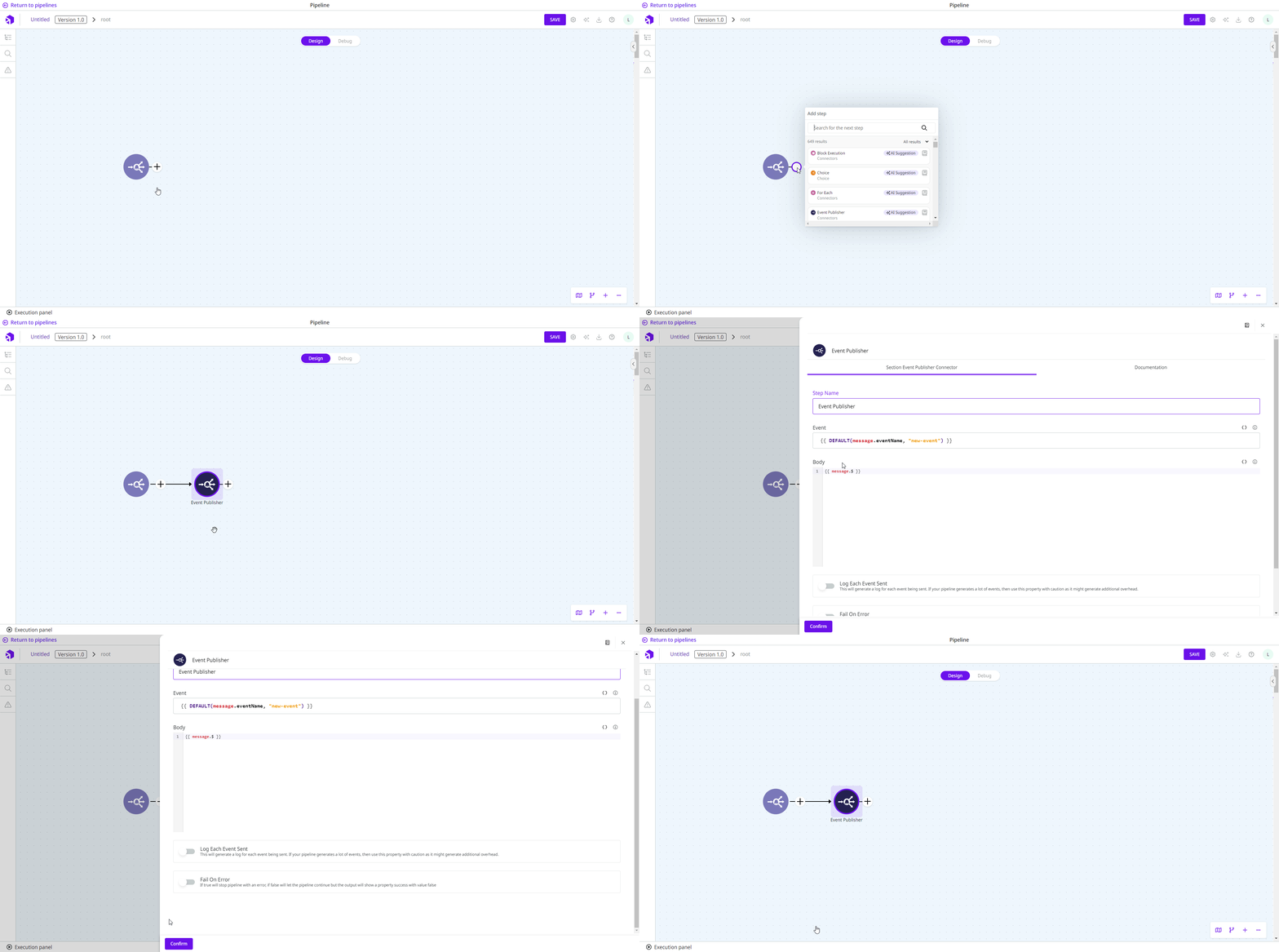
Connectors can be added to your flow either through the [Smart Connector User Experience](/documentation/development-cycle/build-overview/canvas/smart-connector-user-experience.md) or by dragging them from the connector palette on the right side of the Canvas. Once added, double-click or hover over the connector to access its configuration page and provide the necessary details.
{% hint style="info" %}
Use the **TAB** key to navigate through configuration fields. In code fields, press **Esc + TAB** to move to the next field.
{% endhint %}
## Learning how to use each connector
For each connector available in the Digibee Integration Platform, we offer detailed reference documentation to guide you through the configuration process.
Each connector’s documentation includes a list of parameters and instructions on how to configure them, along with practical examples where applicable. You can explore all available connectors by category in the menu on the left.
---
# Agent Instructions
This documentation is published with GitBook. GitBook is the documentation platform designed so that both humans and AI agents can read, navigate, and reason over technical content effectively. Learn more at gitbook.com.
## Querying This Documentation
If you need additional information that is not directly available in this page, you can query the documentation by asking a question.
Perform an HTTP GET request on the following URL with the `ask` and `goal` query parameters:
```
GET https://docs.digibee.com/documentation/connectors-and-triggers/connectors/overview.md?ask=&goal=
```
`ask` is the immediate question: it should be specific, self-contained, and written in natural language.
`goal` is what the user is ultimately trying to achieve, the reason they need the answer. Sharing it helps GitBook give you a better, more relevant answer. A goal is most helpful when it describes the outcome the user wants rather than restating the question. For example, with `ask=how do I create an API token`, a goal like `automate deployments from our CI pipeline` lets GitBook tailor the answer to that use case.
The response will contain a direct answer to the question and relevant excerpts and sources from the documentation.
Use this mechanism when the answer is not explicitly present in the current page, you need clarification or additional context, or you want to retrieve related documentation sections.