> For the complete documentation index, see [llms.txt](https://docs.digibee.com/documentation/llms.txt). Markdown versions of documentation pages are available by appending `.md` to page URLs; this page is available as [Markdown](https://docs.digibee.com/documentation/connectors-and-triggers/connectors/logic/for-each/for-each-example-of-use.md).
# For Each: Usage example
Learn an usage example for the For Each component.
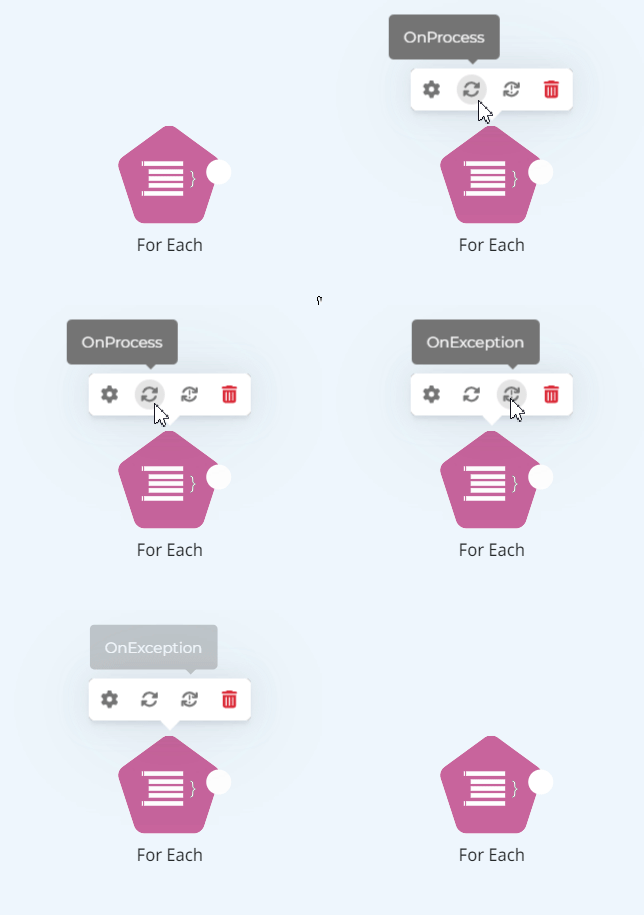
The objective of the **For Each** component is to go through an JSON array and, for each array item, trigger a subpipeline. For more information about the component and its parameters, [refer to the For Each documentation](/documentation/connectors-and-triggers/connectors/logic/for-each.md).
Take a look at the supported usage scenario below:
1. Obtain an example of JSON array through a call to the following address: . For this step, use the [**REST V2**](/documentation/connectors-and-triggers/connectors/web-protocols/rest-v2.md) component as well.
2. The result of the execution described in the previous step must return an address list. These addresses are in the `"body"` object. See:
```json
{
"status": 200,
"statusMessage": "OK",
"body": [
{
"cep": "91420-270",
"logradouro": "Rua São Domingos",
"complemento": "",
"bairro": "Bom Jesus",
"localidade": "Porto Alegre",
"uf": "RS",
"ibge": "4314902",
"gia": "",
"ddd": "51",
"siafi": "8801"
},
//omitted
],
"headers": {
"Access-Control-Allow-Credentials": "true",
"Access-Control-Allow-Headers": "Content-Type, X-Request-With, X-Requested-By",
"Access-Control-Allow-Methods": "GET",
"Access-Control-Allow-Origin": "*",
"Access-Control-Max-Age": "86400",
"Cache-Control": "max-age=3600, public",
"Connection": "keep-alive",
"Content-Type": "application/json; charset=utf-8",
"Date": "Fri, 24 Nov 2023 15:20:41 GMT",
"Expires": "Fri, 24 Nov 2023 16:20:41 GMT",
"Pragma": "public",
"Server": "nginx/1.22.0",
"Transfer-Encoding": "chunked"
}
}
```
3. With a list for **For Each** to go through, drag the component icon to the pipeline building area.
4. Click on the **For Each** item to open its configurations and specify the JSON Path expression. Through this expression is possible to:
* specify the array to be iterated.
* add filters for other items to be iterated.
**Examples:**
* **$.body.\*:** goes through the whole array body.
* **$.body.\[?(@.bairro == ‘Cristo Redentor’)].\*:** goes through the array only when the attribute `“bairro”` is equal to `“Cristo Redentor”`.
5. Access the **For Each** icon again to configure the execution subpipeline for each line.
{% hint style="info" %}
At least one component must exist in the subpipeline.
{% endhint %}
6. After designing the flow, execute the pipeline and observe that in the JSON output an execution totalizer is shown. For the execution to be accounted as successful, add the `"success" : true` message in the last step of the subpipeline.
**Example:**
Copy the content below and paste in your pipeline building using **Ctrl + V** (if using Windows) or **Command + v** (if using MAC).
{% code fullWidth="true" %}
```
[{"data":{"type":"connector","name":"rest-connector","stepName":"chamada a serviço que retorna lista","params":{"url":"https://viacep.com.br/ws/RS/Porto%20Alegre/Domingos/json/","header:content-type":"application/json","operation":"GET","connectTimeout":30000,"readTimeout":30000,"advanced":false},"accountLabel":"","id":"0cbd5b18-ac1b-47b4-9060-559fa8f1cd65","key":"component@connectorrest-connector"},"position":{"x":173,"y":66.5},"group":"nodes","removed":false,"selected":true,"selectable":true,"locked":false,"grabbable":true,"pannable":false,"classes":"eh-preview-active"},{"data":{"type":"connector","name":"for-each-connector","onProcessTrack":{"edges":[{"removed":false,"classes":"","position":{"x":0,"y":0},"locked":false,"data":{"source":"start-track","target":"7d0ab0cc-88b8-41ed-96e3-911cd9699b45","data":{"id":"3a7420c1-1c7b-4204-bda4-539416bfed20","type":"default"},"id":"aa4bd7f0-b70d-484c-8d81-98d386172d0c"},"pannable":true,"grabbable":true,"selectable":true,"selected":false,"group":"edges"},{"removed":false,"classes":"","position":{"x":0,"y":0},"locked":false,"data":{"source":"7d0ab0cc-88b8-41ed-96e3-911cd9699b45","target":"7c389a95-cbde-4ec0-9ce2-70916d1352c2","data":{"id":"fb250837-fd43-45ce-87bc-4cf5c58fe6c8","type":"default"},"id":"29527300-6a86-4975-b377-8407672ba2ec"},"pannable":true,"grabbable":true,"selectable":true,"selected":false,"group":"edges"},{"removed":false,"classes":"","position":{"x":0,"y":0},"locked":false,"data":{"source":"eb7bbaa4-0036-4ff3-b1fa-46d346e0817f","target":"7fd5e6be-6757-4c3d-8507-b77020179b02","data":{"id":"7239c7fa-2c8e-4868-be6d-b4d55f7ee712","type":"default"},"id":"244b736a-98e5-4e99-8e6e-fb838958c9ab"},"pannable":true,"grabbable":true,"selectable":true,"selected":false,"group":"edges"},{"removed":false,"classes":"","position":{"x":0,"y":0},"locked":false,"data":{"source":"3146be4d-5901-4494-b58e-4650e012fb13","target":"a8593f14-50e7-4bd5-a4d1-7bfd305986e7","data":{"id":"63e548b1-471f-43d6-8a85-18ebf92f98e7","type":"default"},"id":"735aad8e-038d-40d1-a15d-5a24d37078f0"},"pannable":true,"grabbable":true,"selectable":true,"selected":false,"group":"edges"},{"removed":false,"classes":"","position":{"x":0,"y":0},"locked":false,"data":{"source":"7c389a95-cbde-4ec0-9ce2-70916d1352c2","target":"eb7bbaa4-0036-4ff3-b1fa-46d346e0817f","data":{"id":"eccb5c57-34c6-425f-acdf-35cf1c8aa453","type":"default"},"id":"877094e9-3b29-46ef-a485-90d5be2db5d4"},"pannable":true,"grabbable":true,"selectable":true,"selected":false,"group":"edges"},{"removed":false,"classes":"","position":{"x":0,"y":0},"locked":false,"data":{"source":"7fd5e6be-6757-4c3d-8507-b77020179b02","target":"3146be4d-5901-4494-b58e-4650e012fb13","data":{"id":"092b7411-3c12-4665-8c24-c1450cb3f85e","type":"default"},"id":"bc307fbd-99f6-4f0d-9d02-12bb239bcab6"},"pannable":true,"grabbable":true,"selectable":true,"selected":false,"group":"edges"}],"nodes":[{"removed":false,"classes":"","position":{"x":41,"y":80},"locked":false,"data":{"type":"start-track","id":"start-track","key":"start-track@not-configured"},"pannable":false,"grabbable":true,"selectable":false,"selected":false,"group":"nodes"},{"removed":false,"classes":"","position":{"x":188,"y":80},"locked":false,"data":{"type":"transformer","stepName":"Pega o Campo CEP e modifica a estrutura, colocando no objeto 'url'","transformSpec":"[\n {\n \"operation\": \"shift\",\n \"spec\": {\n \"cep\": \"url.cep\"\n }\n }\n]","id":"7d0ab0cc-88b8-41ed-96e3-911cd9699b45","key":"component@transformertransformer"},"pannable":false,"grabbable":true,"selectable":true,"selected":false,"group":"nodes"},{"removed":false,"classes":"","position":{"x":497,"y":80},"locked":false,"data":{"type":"connector","name":"rest-connector","stepName":"chamada ao um serviço externo","params":{"url":"https://viacep.com.br/ws/$EXPAND{:cep,}/json/","header:content-type":"application/json","operation":"GET","connectTimeout":30000,"readTimeout":30000,"advanced":false},"accountLabel":"","id":"eb7bbaa4-0036-4ff3-b1fa-46d346e0817f","key":"component@connectorrest-connector"},"pannable":false,"grabbable":true,"selectable":true,"selected":false,"group":"nodes"},{"removed":false,"classes":"","position":{"x":799,"y":80},"locked":false,"data":{"type":"connector","name":"log-connector","stepName":"Log-Connector","params":{"logLevel":"INFO","message":"cepParam: #{url.cep} ; response: #{body}"},"id":"3146be4d-5901-4494-b58e-4650e012fb13","key":"component@connectorlog-connector"},"pannable":false,"grabbable":true,"selectable":true,"selected":false,"group":"nodes"},{"removed":false,"classes":"","position":{"x":344,"y":80},"locked":false,"data":{"type":"session-management","stepName":"salva dados relevantes para este fluxo","operation":"PUT","sessionType":"LOCAL","scoped":true,"fields":["url"],"id":"7c389a95-cbde-4ec0-9ce2-70916d1352c2","key":"component@session-managementsession-management"},"pannable":false,"grabbable":true,"selectable":true,"selected":false,"group":"nodes"},{"removed":false,"classes":"","position":{"x":651,"y":80},"locked":false,"data":{"type":"session-management","stepName":"recupera informações salvas no fluxo.","operation":"GET","sessionType":"LOCAL","scoped":true,"fields":["url"],"id":"7fd5e6be-6757-4c3d-8507-b77020179b02","key":"component@session-managementsession-management"},"pannable":false,"grabbable":true,"selectable":true,"selected":false,"group":"nodes"},{"removed":false,"classes":"","position":{"x":956,"y":80},"locked":false,"data":{"type":"transformer","stepName":"adicionar success para contabilizar o registro","transformSpec":"[\n {\n \"operation\": \"default\",\n \"spec\": {\n \"success\": true\n }\n }\n]","id":"a8593f14-50e7-4bd5-a4d1-7bfd305986e7","key":"component@transformertransformer"},"pannable":false,"grabbable":true,"selectable":true,"selected":false,"group":"nodes"}]},"stepName":"itera os registros de body","params":{"jsonPath":"$.body","parallel":false,"onProcess":"start-track"},"id":"c26a2684-610c-44cf-b5f1-1ca093cc9bb4","key":"component@connectorfor-each-connector"},"position":{"x":319,"y":66.5},"group":"nodes","removed":false,"selected":true,"selectable":true,"locked":false,"grabbable":true,"pannable":false,"classes":""},{"data":{"id":"47080cfd-e0f1-4310-af7f-9c8eef40e54c","source":"0cbd5b18-ac1b-47b4-9060-559fa8f1cd65","target":"c26a2684-610c-44cf-b5f1-1ca093cc9bb4","data":{"type":"default","conditionType":null,"conditionRule":null,"condition":null,"label":null}},"position":{"x":0,"y":0},"group":"edges","removed":false,"selected":true,"selectable":true,"locked":false,"grabbable":true,"pannable":true,"classes":""}]
```
{% endcode %}
---
# Agent Instructions
This documentation is published with GitBook. GitBook is the documentation platform designed so that both humans and AI agents can read, navigate, and reason over technical content effectively. Learn more at gitbook.com.
## Querying This Documentation
If you need additional information that is not directly available in this page, you can query the documentation by asking a question.
Perform an HTTP GET request on the following URL with the `ask` and `goal` query parameters:
```
GET https://docs.digibee.com/documentation/connectors-and-triggers/connectors/logic/for-each/for-each-example-of-use.md?ask=&goal=
```
`ask` is the immediate question: it should be specific, self-contained, and written in natural language.
`goal` is what the user is ultimately trying to achieve, the reason they need the answer. Sharing it helps GitBook give you a better, more relevant answer. A goal is most helpful when it describes the outcome the user wants rather than restating the question. For example, with `ask=how do I create an API token`, a goal like `automate deployments from our CI pipeline` lets GitBook tailor the answer to that use case.
The response will contain a direct answer to the question and relevant excerpts and sources from the documentation.
Use this mechanism when the answer is not explicitly present in the current page, you need clarification or additional context, or you want to retrieve related documentation sections.